
 RetroQuestForums · a RetroRayTV Studio gameThe studioRetroRayTV StudioThe studio behind RetroQuest
Devlogs on YouTubeVisit retroray.tv ›
DevlogBuilding RetroQuest: world tools, smarter workflows and weapon effects |
DevlogBuilding RetroQuest: world tools, smarter workflows and weapon effects RetroQuest's latest development push is about making the world easier to build: shaping zones, placing NPCs, connecting quest steps, and seeing weapon effects in the same renderer the game uses. The September 12–13 work brings more of those jobs into RetroQuest Studio, while keeping the existing world-building tools available. This is a behind-the-scenes development update. The screenshots below are actual editor and test views from the project, showing work in progress rather than finished gameplay or a public release.
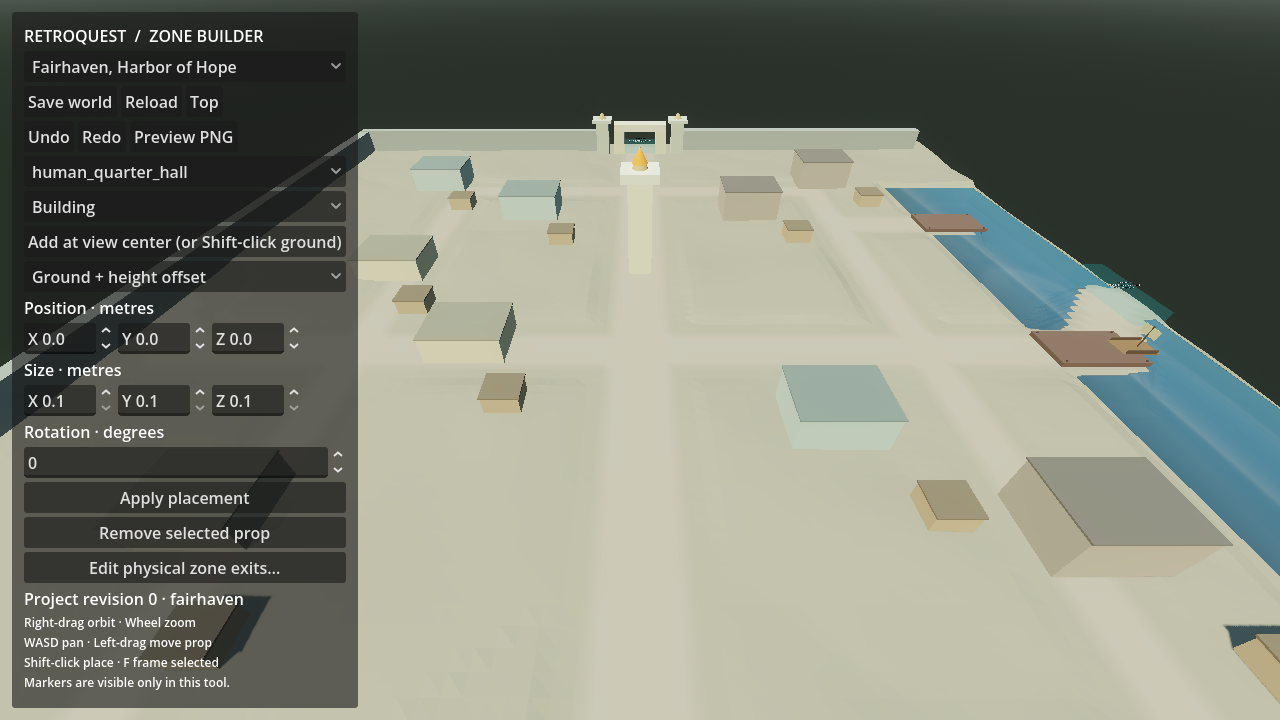
Fairhaven in the existing Zone Builder. This blockout view illustrates the world-building workflow; the latest work brings zone editing inside native RetroQuest Studio as well. Bringing the world into StudioZones can now open directly inside Studio with editable geometry. Buildings can be selected in the scene or from an object list, then moved, rotated and resized. Custom model props can be brought into a zone, and a top-down map gives another way to work with placements and control points. The new brushes cover terrain painting, building-surface painting, and raising, lowering or flattening terrain. Brush size, opacity, hardness and shape can be adjusted. Building paint uses surface stamps, while terrain painting uses the existing terrain texture system. Detailed modeling and texture work still belong in Blender and Krita. For players, the value is in the places these tools help create: a better-shaped approach to a town, more deliberate building placement, or a route that is easier to read as you explore. The tools make those details easier to iterate on; they do not make the current blockouts finished environments. Routes, hazards and zone entrancesNPC placements now expose patrol routes, waypoint pauses and rectangular roaming areas. Zone entrances have editable position, facing and full three-dimensional trigger size, making it easier to cover an opening properly instead of leaving a gap around its edge. Environment regions support shaped water and hazards such as lava, acid, spikes and crushers. The initial spike and crusher mechanisms use repeating cycles with active damage windows. More elaborate encounters remain separate work; these are not yet a general physics-driven trap system. Getting weapon effects into placeWeapon-effect placement has received a practical cleanup. Studio can create a weapon-specific effect and attachment draft, then move, rotate or scale its anchor in an exact Godot preview. That lets an effect be fitted to a particular weapon without changing the shared source effect used elsewhere.
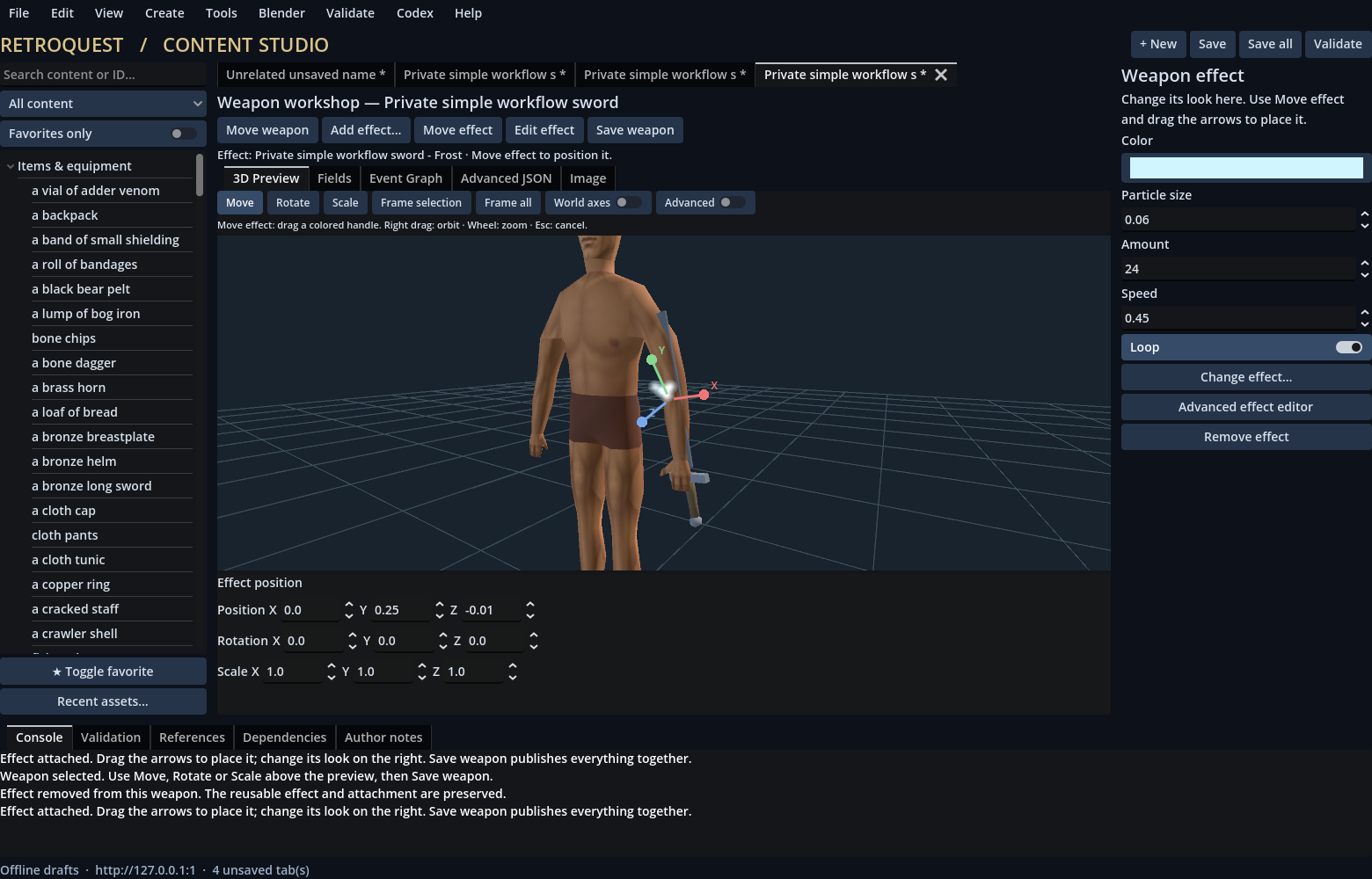
The existing Content Studio's simplified weapon workshop, using a test sword. The latest native Studio work builds on this workflow with weapon-specific anchors and Godot-rendered placement. The preview now uses softer particle sprites in place of opaque square edges for older effects. Items with particles use Godot automatically, and the preview worker stays inside the authoring workflow rather than opening a separate visible game window. Less ID hunting, clearer game contentThe recent guided workflows also make spells, items and NPCs easier to find and connect. Searchable references, spell-scroll browsing, and class, race and deity filters reduce the amount of manual ID matching. Supported spell mechanics can be combined and saved for reuse.
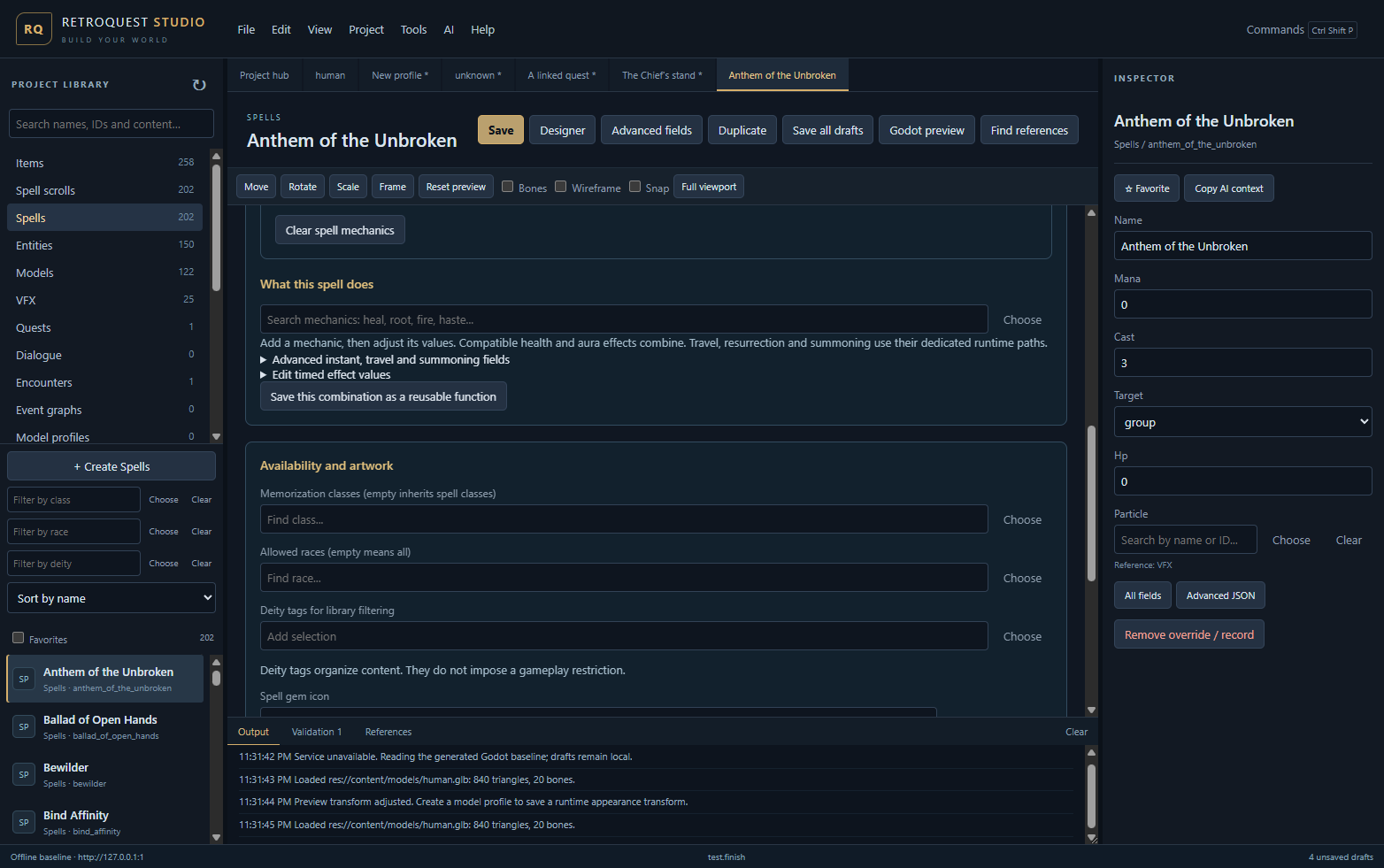
A native Studio spell-designer test view. Draft names, record counts and offline status belong to the captured development session, not a published game-content total. Quest work adds prerequisite links and named recipient NPCs, alongside a shared visual graph for quests, dialogue and encounters. Runtime handling now respects locked steps and consumes only the required hand-in items, preserving extras. Checking changes before they reach the worldWorld edits stay in recoverable drafts. Saving checks for conflicting changes, validates the data and creates a backup. Undo, redo and recovery make it easier to experiment without losing the previous layout. The September 13 project records report 72 packaged UI checks, 18 isolated zone-runtime checks and the 2,270-check Godot smoke suite passing. Those checks included real pointer drags for brushes, placements and effect anchors. They are development regression checks, not evidence of a completed multiplayer stress test. The larger Studio roadmap still includes a unified Test Lab, richer animation and material tooling, and broader spell support. These editor changes also do not automatically deploy a new live game world. RetroQuest remains in development, with no announced public playtest or release date. You can register playtest interest, browse the guides, or reply below: which would you most like a closer look at next—world building, spell design, or weapons and effects? | |
Offline | |
Powered by NodeBB · layout after vBulletin 3.7